INTERVAL / PRACTICAL GUIDES
Meeting reminders for ADHD and time blindness on a Mac
Short answer
If time blindness means meeting banners slip past you, use a reminder you can see without checking. The Interval meeting timer for Mac keeps a countdown to the start and to the end of each call at your screen edge, joins Zoom, Meet, Teams, Webex and FaceTime in one click, and costs £15.99 once.
Interval doesn’t take over your screen. If you only respond to a full-screen interruption, In Your Face, Ahem! or the free Slapss are built for that.
Written by Interval’s maker. Features and prices checked 19 October 2026.
Why ordinary meeting reminders slip past
A banner gives you one cue at one moment. If you are concentrating on a document, looking at another display or away from your desk, it can disappear before you act. Knowing about the meeting and noticing its start are different jobs.
The same problem can continue during a call. You join on time, turn your attention to the discussion, then notice the next meeting has started. A start reminder cannot tell you how much time remains in the current conversation. See ways to see time left in a meeting on Mac.
Free fixes to try in Apple Calendar first
- Add another event alert. In Calendar, double-click the event, click its time and open Alert. Hover over the Alert menu and use the Add button for another alert. Exchange events support only one alert. Apple explains how to set event alerts.
- Keep notifications visible. In System Settings → Notifications → Calendar, check that notifications are allowed. Current macOS labels the styles Temporary and Persistent; Persistent stays until dismissed. See Apple’s notification settings.
- Check your Focus settings. If you use a Focus during work, review its allowed apps and allow Calendar notifications where needed. Apple describes setting up a Focus.
Try these changes with a test event before relying on them. If a persistent notification gives you enough warning, you may not need another app.
Two kinds of cue: an interruption or a visible countdown
A full-screen alert asks you to stop what you are doing. A visible countdown lets you keep working while reading the time at a glance. Neither approach suits everyone. Choose the one you actually notice, including when you are absorbed in another task.
For a countdown, ask two questions: can you see the preparation time before the meeting, and can you see the remaining time during it? For an interruption, check when it appears and how you dismiss it.
How the Interval meeting timer for Mac keeps time in view
Interval places its panel at the left, right, top or bottom edge of your display. It folds into a compact timer when you want less detail. A preparation countdown shows time until the next meeting starts, within the preparation window you choose.
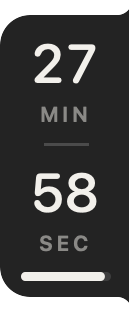
Supported Zoom, Google Meet, Microsoft Teams, Webex and FaceTime links open from the calendar event in one click. During the meeting, the countdown changes to the scheduled end. It is your personal timer.
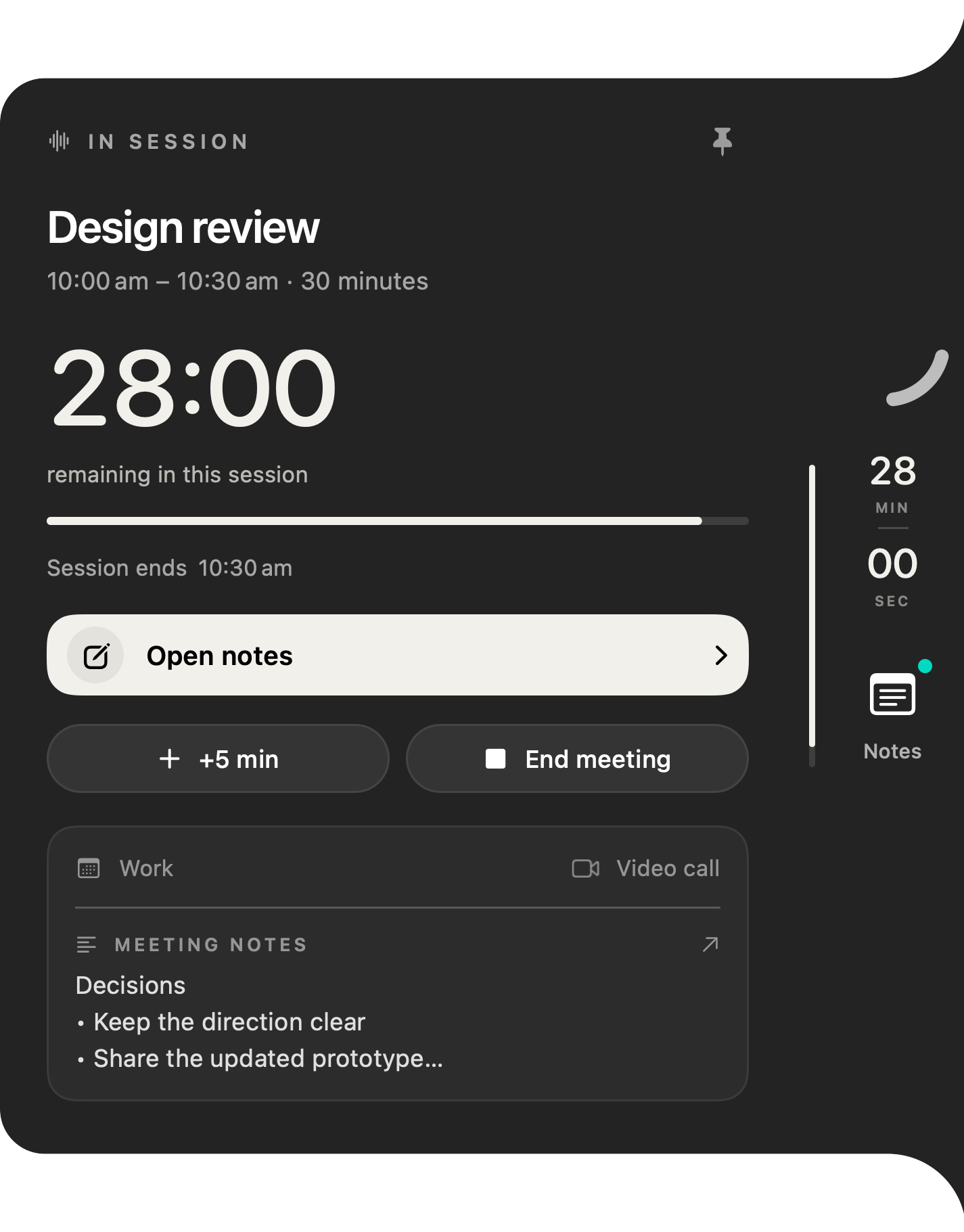
+5 min extends only your timer, not the invitation. At the end, the wrap-up prompt offers notes, five more minutes or marking the meeting done. An orange “Overlaps with…” warning highlights a clash. You still decide what to do and agree any change with the people on the call.
Interval reads selected Apple Calendar calendars without editing them and needs no Interval account. Google and Outlook calendars must first appear there. Private notes and optional on-device recording and transcription are available beside the timer.
Buy lifetime access · £15.99 Watch the 30-second demo
Pay before download. Changed your mind? You can request a refund within 14 days of your website purchase, including after download or activation (terms).
Meeting reminder apps for ADHD on Mac, compared fairly
Prices below are from the makers’ linked websites, checked 19 October 2026. Dollar prices are US dollars as listed; taxes and regional offers may differ.
| App | Main cue | Listed price |
|---|---|---|
| Interval | Screen-edge countdown to start and end | £15.99 / US$19.99 once; two Macs |
| In Your Face | Full-screen alert | $3.99/month, $24.99/year or $69 once for direct-download desktop |
| Ahem! | Full-screen countdown overlay | $5.59 one-time offer through 31 October; $6.99 launch price |
| Loon | Menu-bar countdown with escalating visual cues | $4.99/month or $3.99/month billed yearly; seven-day trial |
| Slapss | Full-screen takeover at meeting time | Free, open source |
- Choose Interval if you notice a screen-edge countdown and want time remaining during the call.
- Choose In Your Face if you need a screen-blocking cue and its broader platform support. Read the full comparison with Interval.
- Choose Ahem! if you want a full-screen countdown and a one-time direct purchase covering Mac and Windows.
- Choose Loon if you want cues that build in stages. Its own guide says Teams links are shown but not joined in one click.
- Choose Slapss if you want a free, open-source full-screen reminder on Mac.
Who should choose something else
If only a takeover alert reaches you, choose an app built around that. Interval requires macOS 26 or later and this guide covers its Mac workflow. It does not offer a Windows version or direct Google/Outlook sign-in.
If the problem is deciding what to work on between meetings, a day planner may be a better starting point. A timer does not plan your day, reschedule commitments or guarantee you will be on time. See a practical workflow for meeting-heavy days, or try the interactive example to see whether a countdown suits you.
Frequently asked questions
What’s the best meeting reminder app for ADHD on a Mac?
There is no single best choice. Choose by the cue you notice: In Your Face, Ahem! and Slapss offer full-screen interruptions; Loon offers escalating cues; Interval keeps a start and end countdown at the screen edge.
Does Interval show full-screen meeting alerts?
No. Interval keeps a countdown at the screen edge. It does not take over your screen.
Can I see how long is left without opening Calendar or the call window?
Yes. Interval’s current-meeting countdown shows time until the scheduled end at the screen edge. You do not need to open Calendar to read it.
What is a visual timer for meetings on Mac?
It is a visible countdown to a meeting’s start or end. You can read the remaining time at a glance instead of remembering to open a calendar or clock.
Does Interval join Microsoft Teams calls in one click?
Yes, for supported Teams links in calendar events. Interval also supports Zoom, Google Meet, Webex and FaceTime links. Check the event contains a supported meeting link if no join action appears.
Is Interval a treatment for ADHD?
No. Interval is a meeting timer that keeps time visible. It does not treat or diagnose ADHD or any other condition.
Does it work with Google Calendar or Outlook?
Yes, when those calendars appear in Apple Calendar on your Mac. Select them in Interval after granting Calendar access. Interval has no separate Google or Microsoft sign-in.
Is it a subscription?
Website lifetime access costs £15.99 once for two Macs running macOS 26 or later. Pay before download. You can request a refund within 14 days of your website purchase, including after download or activation.
For calendar setup, follow the Google and Outlook guide.